Charge your Tesla
with surplus solar.
No Powerwall needed.
SolarSmartCharge adjusts charging to use the solar your home isn’t using. Best when your car is home during daylight and your utility pays less for exported solar than it charges for electricity.
30 days free, then $10/month if you subscribe. No card required.
Pause charging or cancel your subscription anytime.
Connect Tesla Solar or SolarEdge, or start with estimated solar. Add an optional Emporia Vue energy monitor later for direct readings.
Will it work with your setup?
Check before signing up. No email, VIN, or system size needed.
Best fit: your car is home during daylight and your export credit is lower than your grid price. A home AC charger and Tesla account access are required. Final connection is checked during setup.
Watch it happen, in your pocket.
See your power flow, set a ready-by time, and track charging costs. Screens show example account data.
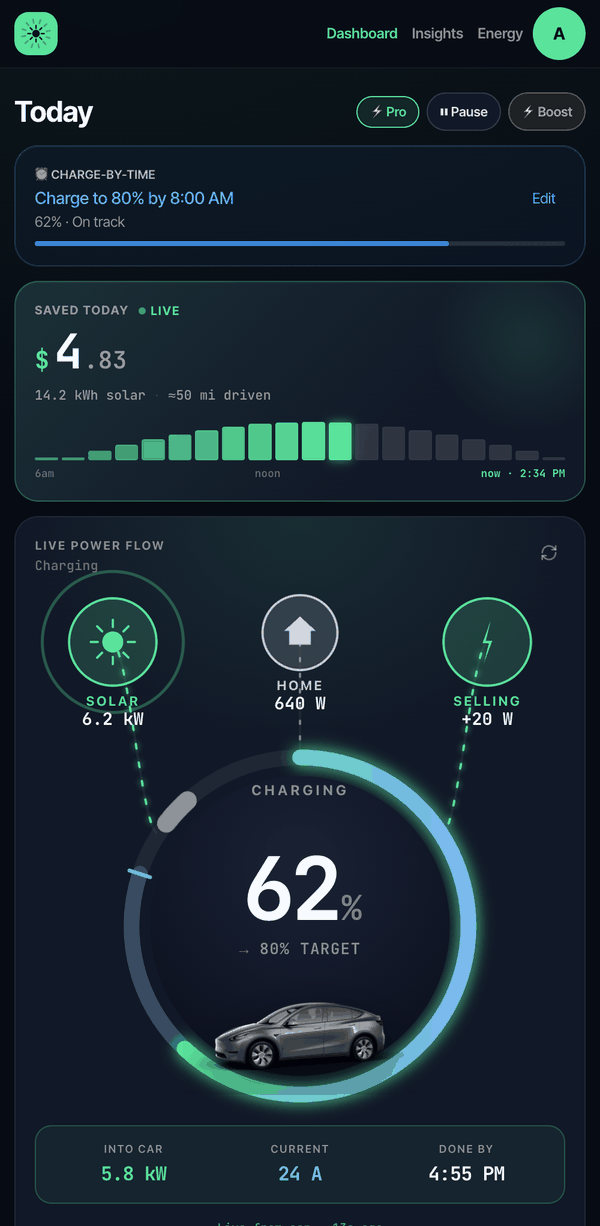 Home · power flow
See savings and charging plan
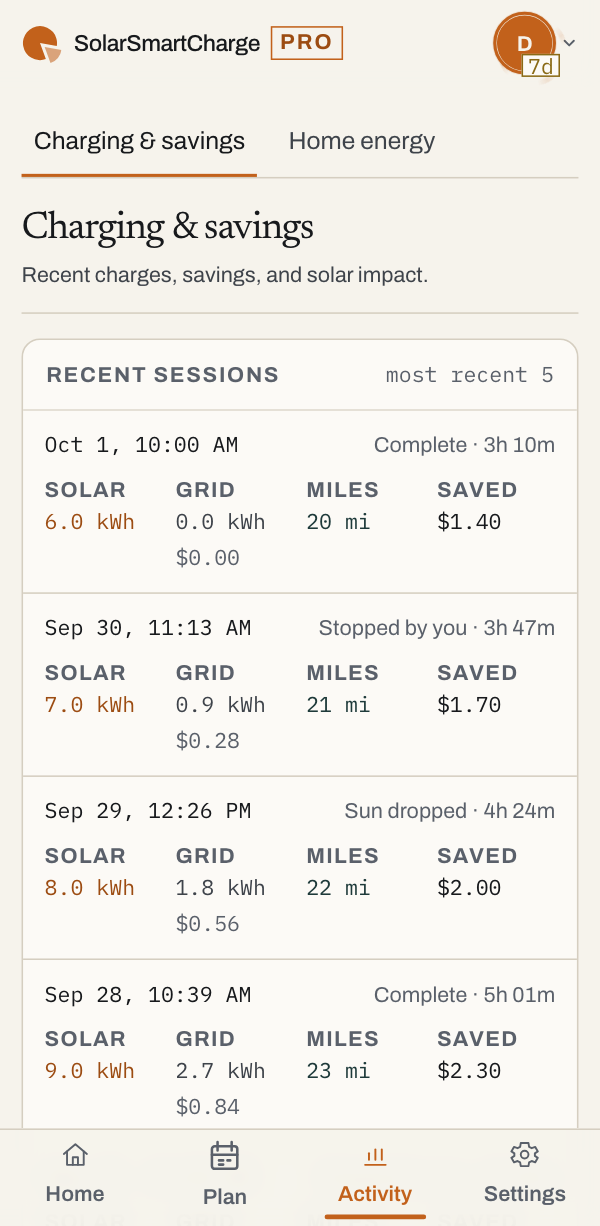 Activity · costs & savings
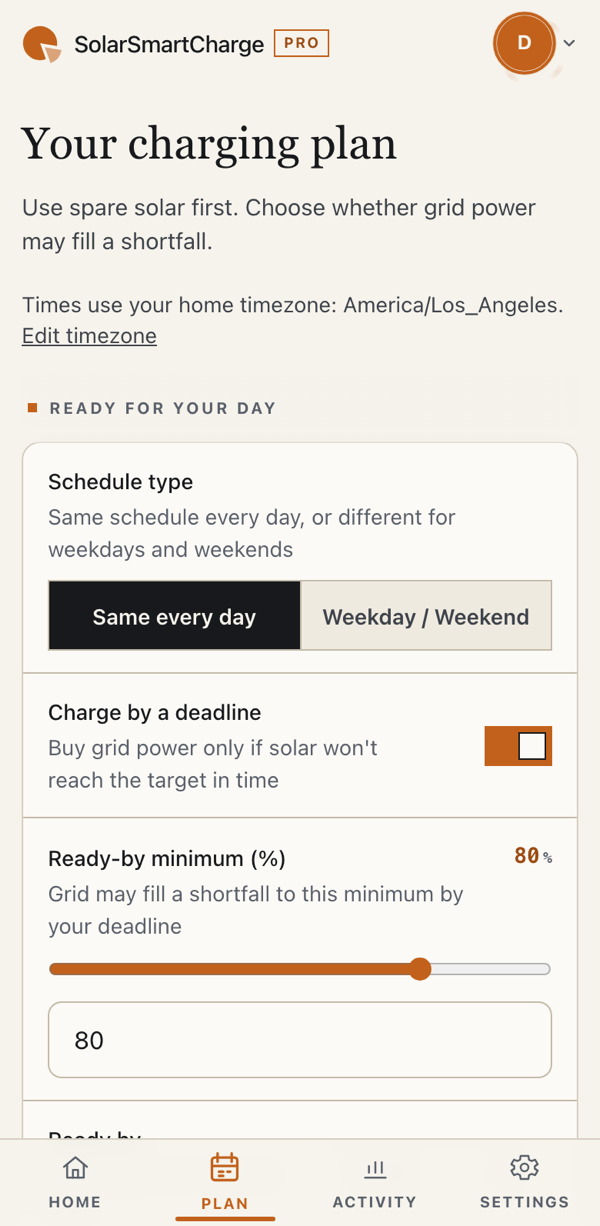 Plan · ready-by & solar limit
Connect once. Plug in when you get home.
Connect Tesla and your solar
Authorize Tesla, then connect your solar system or start with an estimate. You can add an energy monitor later.
Pair the key on your phone
Select the right car in the Tesla app, then follow our pairing link. We check whether the car accepts setup.
Let the sun take it from here
Leave your car plugged in. We’ll charge when there’s spare solar. Add a ready-by time when you need a minimum charge for a trip. Pause anytime.
Early weekday starts. Solar savings when she’s home.
Lan leaves early on weekdays and makes use of solar when her car is home and plugged in. In September, solar supplied an estimated 26% of her recorded charging—leaving $22.34 in estimated savings after allowing for the standard $10 monthly subscription.
- Estimated energy savings
- $32.34
- Standard monthly subscription
- −$10.00
- Estimated savings after subscription
- $22.34
Based on September 1–30, 2026 charging records and configured rates of $0.39/kWh import and $0.05/kWh export. Solar is modeled in Estimate mode; this is not a verified utility-bill reduction. Lan used Pro at no charge during September. The standard $10 monthly fee is deducted here for comparison. Results vary.
One plan. Check it against your own numbers.
Run your own estimate, then start 30 days free — no card required. Subscribe only if it works for you.
- ✓Automatic solar charging
- ✓Ready-by planning and Charge now
- ✓Power flow and 30-day savings tracking
No credit card required
Estimate your energy savings
See your own number, not ours.
Every home is different. Slide in your driving and your rates — this estimates what charging on surplus solar could keep in your pocket.
Your export credit is at least your import rate, so there's no spread to capture.
The questions everyone asks first.
Still curious? Everything runs on Tesla's official API with your explicit consent, and you can pause or disconnect anytime.
Can I charge my Tesla from solar without a Powerwall?
Yes. SolarSmartCharge monitors your solar production in real time and adjusts your Tesla's charging amps to match your surplus — no Powerwall or battery storage needed. It works with Tesla Solar, SolarEdge, an Emporia Vue energy monitor, or an estimate of your production for any other system.
How is this different from Tesla's built-in Charge on Solar?
Tesla's built-in Charge on Solar requires a Powerwall. If you already have one, it may be all you need. SolarSmartCharge also works with supported solar systems without a Powerwall.
How does it actually work?
Every 5 minutes, solar charging adjusts your car's amps toward available surplus. Connected meters supply readings; estimate mode uses weather and your solar setup. Clouds, home demand, and connection delays can still cause some grid use.
What solar systems does it support?
Connect Tesla Solar or SolarEdge directly. Enphase direct integration is coming soon; it and other systems can use weather-based estimates. Add an optional Emporia Vue energy monitor anytime for direct readings. Estimates need your location and approximate system size and are less precise than a meter.
How much can I actually save?
Savings depend on your spare solar, daytime charging, and the difference between your grid price and export credit. Open the estimator with your own numbers. It shows energy savings before the $10 monthly subscription, not a guaranteed result.
Is it safe? Will it damage my car?
It uses Tesla's official Fleet API with OAuth. Your password never touches our servers, and every command is cryptographically signed. The only commands we ever send are charging ones — amps, charge limit, start, stop — plus a wake so the car can receive them, and two housekeeping ones: while charge-by-time is managing the car we switch off Tesla's own scheduled charging so the two don't fight, and we configure the car to stream its charge status to us. Nothing else — never lock, unlock, climate or drive. DC fast chargers (Superchargers) are auto-detected and never interfered with, and you can pause, override, or revoke our access in your Tesla Account at any time.
Can I set a morning minimum below 50%?
Yes, as low as 20%. Tesla's own charge limit won't go below 50%, which is more than many people need — for example if you charge free at work. Set a lower ready-by minimum and SolarSmartCharge buys only that much grid power overnight, ending the grid charge itself when the car reaches it; spare solar can still top it up for free during the day. If the app can't reach your car, Tesla's own limit (50% or higher) applies instead.
What does it cost?
Pro is $10/month, with a free 30-day trial — no credit card required. Cancel in one tap.
Charge HQ has closed — is this a replacement?
For a Tesla charging from your own panels, yes: that is the case this was built for, and no Powerwall is needed. For a non-Tesla EV on an OCPP wall charger, no — we only speak to Teslas, and our Charge HQ comparison page names the apps that do cover that rather than leaving you to find out after signing up. Charge HQ closed on 2026-09-07 and its history cannot be imported, so we start fresh from the day you connect.
Under the hood: how charging follows solar
We read solar and home demand, then raise or lower the car's charging amps. With a connected meter, the controller aims to reduce grid import. Without one, it uses estimated production and home load. A minimum-surplus threshold reduces repeated starts and stops; DC fast charging is left alone.
Use it from your home screen
Start in your browser. Later, on iPhone, use Safari → Share → Add to Home Screen. On Android or desktop, use your browser's Install app option where available. Installing on iPhone enables charging notifications; it isn't needed to start using the app.
Put your next sunny afternoon to work.
Try automatic charging with your own car, solar, and tariff.
Start free 30-day trial